

Smart Bending Assistant
Programming a press brake machine?
No problem:
your new voice assistant takes care of it.
Developed in strict collaboration with the REM software house, the Smart Bending Assistant (SBA) is a special smartwatch which can interact, via voice commands, with all Esautomotion CNCs for bending machines.
From now on, your operator will manage the CNC vocally, without interrupting his work. Very smart, isn’t it?
While working on his bending machine, an operator finds often himself in the situation of having to carry out a series of operations on the CNC screen. In some cases, however, this means having to lay down the piece he is working on in order to have his hands free or interrupt other activities: this may results in a significant waste of time and a decrease in production efficiency.
Wearing its Esautomotion SBA on the wrist, your operator will now have the possibility of giving a number of series of vocal instructions to the smartwatch, which will forward them to the CNC.
In the case of the Advanced Cube version, the smartphone will also be able to measure the bending angle of the piece the operator is handling.
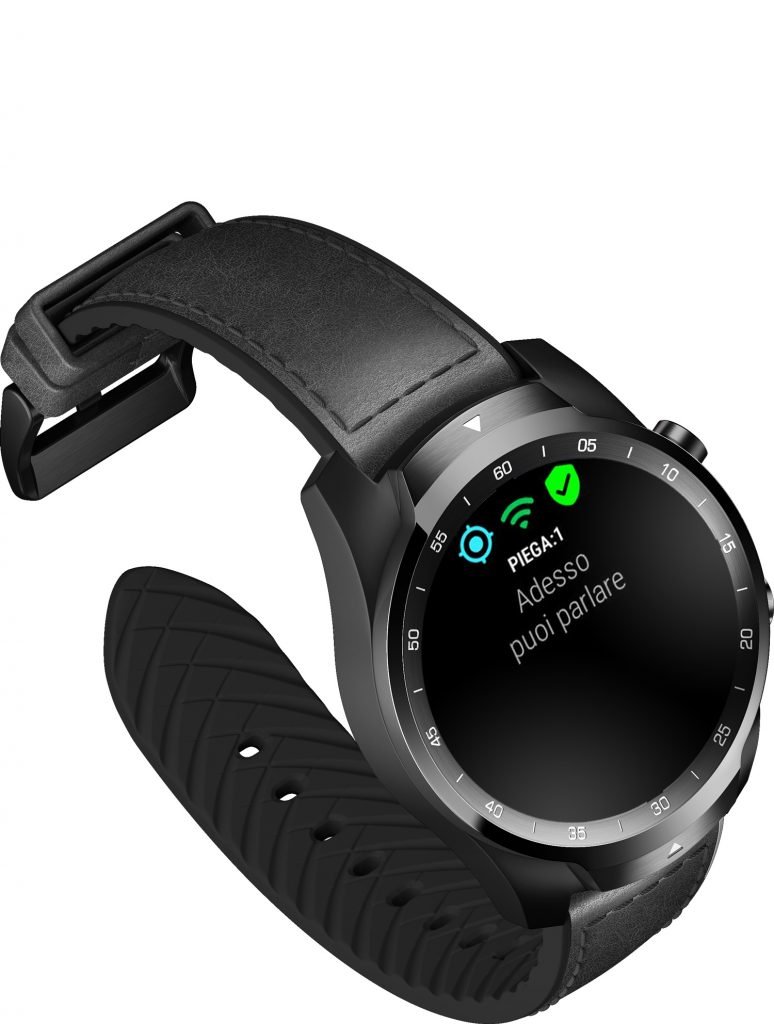
Super easy operation:
a simple gesture of the arm to move
around the menu.
The SBA has been designed to simplify the functional processes between operators and machines, which is why its operation takes place through a few screens:
- The smartwatch can be used on the operator’s wrist or hooked to the edge of the machine to issue voice commands.
- Voice navigation takes place via a drop-down menu with three items / screens (Vocal Commands, Machine Status / Compute Angle and Settings), which introduce the various SBA functions.
- A movement of the arm from top to bottom is enough to switch from one interface to the other in the menu.
- In order to select the new interface, the movement of the arm from right to left, or vice versa, will be required.
- Whenever moving to a new interface, it will be executed immediately.
Main voice commands to the CNC are:
- CNC screen change
- Switching from one mode to another: Manual – Auto – Semi Auto
- Axis movement
- Creation of a new bending program

Use the gyro to find the perfect bend.
This unique feature, available with the Advanced Cube version. allows to calculate the inclination of the workpiece, simply by placing the SBA on it: its internal gyroscope will measure automatically the inclination degrees of the smartwatch.
The process takes place in easy 3 stages:
- Sampling: the system detects the degree of inclination of the starting point.
- Measurement of the new angle, i.e. the final inclination degree of the piece.
- Sending the final angle to the Esautomotion CNC, which will calculate the required correction and implement the change.
Available in 3 versions
to satisfy all your needs.
- Standard version: everything you need to manage your CNC by voice.
It can be used both on the operator’s wrist or attached to the edge of the machine to receive voice commands. - Advanced Cube: including a built-in digital gyroscope.
It includes the Basic version device, with all its features, plus the special Cube support that transforms it into a true digital gyroscope, capable of measuring the bending angle and communicating the required corrections to the CNC in order to obtain the desired angle. - PRO version: “all in” for the best user experience.
It includes both the Base and the Advanced Cube device. In this way, the operator can wear the first device on the wrist and use the second device as a digital gyroscope for total control of the bending.